How to Get More Google Reviews With QR Codes (In Your Store)
A customer walks out of your store happy. You’ve done good work. But by the time they get home, they’ve moved on to the next thing—and they forget to leave you a review on Google.
This is the gap that’s costing you business.
Every day your rating sits at 4.2 while a competitor across town is at 4.8, you’re losing customers. It’s that simple. And the only way to close that gap is to ask for reviews at the exact moment your customer is most engaged—which is in your store, when they’re still thinking about their experience.
A QR code does this automatically. Here’s why it works, where to place it, and how to turn checkout into review gold.
Why QR Codes Work (When Asking Verbally Fails)
The timing problem: asking when they walk in vs. when they’re leaving
When customers are leaving your business, they’re thinking about their next appointment, their kids, what’s for dinner. Asking for a review verbally at that moment feels like an extra task. Most say yes out of politeness, then forget.
A QR code solves this by removing the conversation entirely. Your customer sees it on the counter, taps it with their phone—no verbal exchange, no awkwardness—and they’re leaving a review in 15 seconds.
The friction problem: customers don’t want to hunt for your business
Even if a customer wants to leave you a review, they have to open Google, search for your business name, scroll through results, and hope they find the right listing. Half the time they click on a different business with a similar name.
A QR code eliminates that friction completely. One tap and they’re already on your review page.
The data problem: you have no idea who actually left that review
When customers leave reviews without a tracking mechanism, you can’t see which locations, which staff members, or which services are driving your best feedback. A QR code system shows you exactly which placements are converting, so you can do more of what works.
Where to Place Your QR Code for Maximum Reviews
Not all placements are equal. Here are the spots that actually convert:
Point of sale (checkout counter). This is your most valuable real estate. Customers are stationary, their phone is out, and they’re in “wrap-up” mode. This placement typically generates the most scans.
Receipt or invoice. Every customer sees this. Include a small message: “Tap to tell us what you think.”
Table tent. Restaurants, salons, and spas: place a small tent-card QR code on tables or waiting area seats.
Business card. Your next networking conversation could become a Google review. Make the QR code visible on the back or corner.
Door or window. For departing customers, a sign near the exit (“Love us? Tap to review”) catches people at the final moment before they leave.
How the QR Code Review Flow Works
When a customer scans your QR code, here’s what happens:
They land on a branded feedback page designed to feel like part of your business—not a third-party form. From there, they see options: leave a review on Google, Facebook, or another platform of their choice, or send you private feedback directly.
Here’s what makes this different: your customer sees options. Google, Facebook, or another platform—they choose. Some platforms hide low-star customers from public review sites, which means you miss feedback and artificially control your rating. ReviewCatalyst doesn’t do that. Every customer, every rating, sees the full menu. You get more authentic reviews across more platforms, and customers who aren’t ready to post publicly can send you private feedback instead. That’s more data, more protection, and a stronger reputation.
One tap and they’re leaving a review. No search, no hunting, no friction.
How to Design and Generate Your QR Code
A QR code doesn’t have to look like a boring square. Customizing your code to match your brand makes it more trustworthy and more likely to be scanned.
The best QR code generators let you:
- Add your logo to the center (so it’s recognizably your code)
- Match your brand colors (so it fits your signage and receipts)
- Test scannability before you print (if someone can’t scan from 2 feet away, make it bigger)
- Export in high resolution (so it looks sharp on printed materials)
Once your code is ready, print it on high-contrast materials. Dark code on light background, or vice versa. Test it from arm’s length before you order 500 copies.
4 Tactics to Boost Your QR Code Review Conversion
Add a call-to-action above or below the code. Don’t assume customers know what to do. Write it: “Tap to leave us a review” or “Tell us what you think—tap here.” This single line can increase scans significantly.
Offer a micro-incentive (optional). Some businesses add a small incentive: “Tap to review and tag us in a photo for a chance to win…” Keep it small. The goal is to remove friction, not to bribe people into fake reviews.
Test placement. Start with your point of sale, track how many reviews come in per week, then move the code to another spot and track again. You’ll find your highest-converting placement within 3 weeks.
Rotate messaging seasonally. Change the language on your signs. “Love us? Review us on Google” in spring. “Thanks for trusting us this year—tell your friends” in December. Small changes keep it fresh and boost repeat scans from regulars.
Common QR Code Mistakes to Avoid
Making the code too small. Test it from 2 feet away. If you can’t scan it easily, your customers won’t either. When in doubt, go bigger.
Using poor contrast. Light gray code on white background? It won’t scan. Stick to high-contrast pairs: black on white, dark blue on yellow, etc.
Forgetting to measure what’s working. You need a system that shows you which QR code is converting. Without that, you’re guessing.
Setting it and forgetting it. Seasonal messaging, new placements, and refreshed signage keep people scanning. Let it sit for 6 months and conversion drops.
The Numbers: How Many Reviews Can a QR Code Actually Get You?
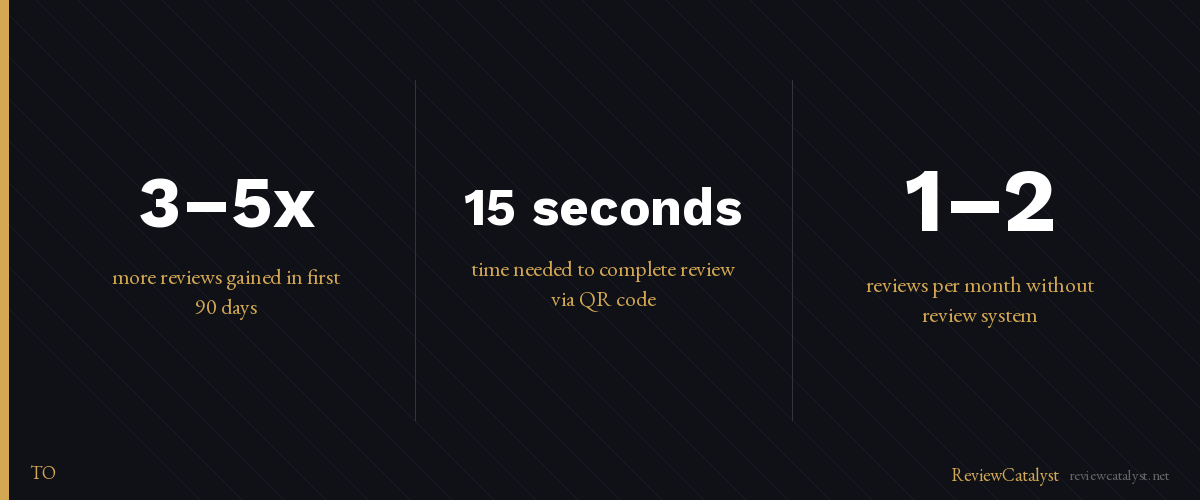
A typical small business gets 1–2 reviews per month without a system. With a well-placed QR code, expect 3–5x more reviews in your first 90 days.
That’s not magic. It’s mechanics. You’ve removed friction, nailed the timing, and given customers a 15-second path to review you. Most will take it.
More reviews mean a higher rating. Higher rating means more foot traffic. More foot traffic means more business.
A printed QR code on your counter is free. But tracking which placements work, testing new ones, and making sure every scan actually becomes a review requires a system. ReviewCatalyst handles all of it. Generate custom QR codes, see which ones convert, and watch reviews climb without chasing customers down. Try it free for 14 days at reviewcatalyst.net — no credit card required.
Ready to get more reviews on autopilot?
ReviewCatalyst sends review requests via SMS automatically — no manual follow-up, no chasing customers.
Start Free Trial