How to Dispute and Remove a Google Review That Violates Guidelines
One fake review can damage your Google rating and cost you real business. The worse your rating, the fewer customers find you in Google Maps and local search.
Here’s the catch: Google doesn’t automatically remove most reviews, even when they clearly break the rules. You need to know which violations actually get removed and how to present your case so Google takes action.
If you’ve found a harassing, fake, or policy-breaking review on your Google Business Profile, here’s what to do.
What Google Actually Considers a “Violation”
Not every bad review is a violation. Google has specific rules about what stays and what goes.
Google will remove reviews that include:
- Personal attacks or harassment — Reviews that target you, your employees, or your family with insults or threats
- Spam or commercial solicitation — Reviews posted by competitors, review-for-hire services, or businesses promoting themselves
- Illegal content — Threats, hate speech, or content tied to illegal activity
- Off-topic content — Rants about politics, recipes, or anything unrelated to your business
- Explicit photos or malicious links — Non-business images or links to malware
- Undisclosed conflicts of interest — Reviews from your own employees or family members when they don’t mention the connection
Google will NOT remove:
- Negative opinions about your service — “The food was cold” or “Service was slow”
- Factually incorrect statements (usually) — False claims that don’t violate other guidelines often stay up
- Complaints about price — Customers can say you’re expensive
- Criticism from unhappy customers — Harsh reviews are allowed
The gray area:
Some reviews blur the lines. A review with one false claim mixed with legitimate criticism might get removed if the false part is serious enough. Google’s human reviewers have some judgment here, which is why how you report matters.
Step-by-Step: How to Report a Review to Google
Where to Find the Report Button
Open your Google Business Profile and find the review you want to report. Click the three-dot menu (⋮) in the top-right corner of that review and select “Flag as inappropriate.”
Pick the Right Violation Category
This is crucial. Choose the category that actually matches the problem. Don’t stretch it to fit.
Competitor spam? Select “Spam or fake review.”
Personal attack on you? Select “Abusive or hateful.”
Completely off-topic post? Select “Off-topic.”
Google’s reviewers prioritize differently by category. Picking the wrong one weakens your case.
Write a Specific Explanation
Google gives you space to explain the violation. This explanation is where you win or lose.
Be concrete. Instead of “This review is fake,” write: “This review claims we charged $500 for a service we don’t offer. The customer never visited our business. This is false information designed to damage our reputation.”
Add dates and specifics. Mention evidence if you have it—like the fact that they never booked with you or that they’re a competitor.
Stay professional. Google wants facts, not venting.
Timeline: What Happens Next
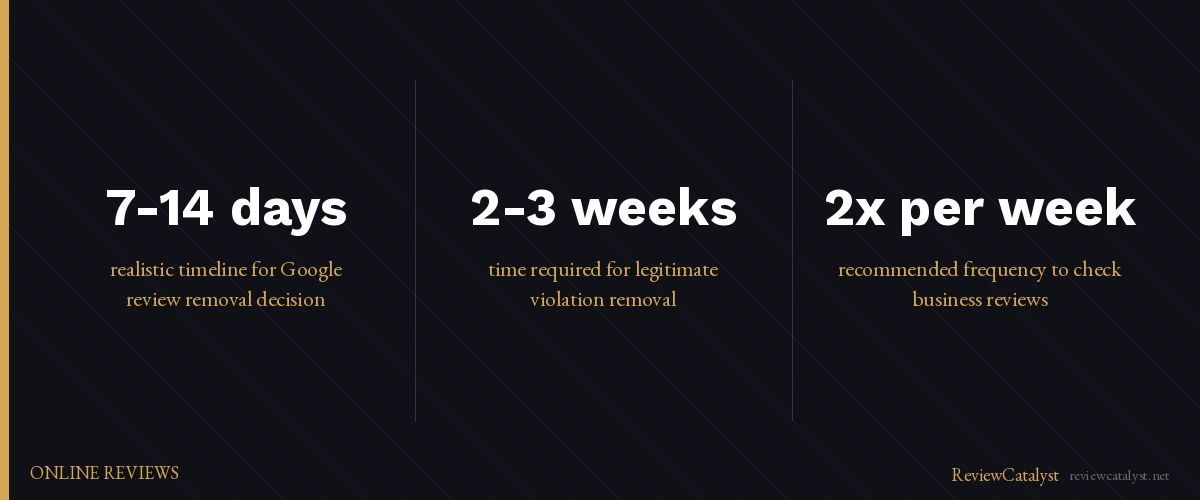
Google says it reviews reports within 2-3 business days. Realistically, expect 7-14 days for a human reviewer to assess it.
You won’t get a detailed explanation. The review either gets removed quietly, or you’ll get a notification that it doesn’t violate guidelines and stays.
When Google Says No — What You Can Actually Do
Most reported reviews don’t get removed, even when business owners think they should. If Google declines your request, you have three real options.
Request a Second Review
You can appeal. Go back to the three-dot menu and select “Request a review.” (This option only appears after an initial decision.) Make a new, more detailed case.
Sometimes a second reviewer spots what the first one missed. It’s worth trying once.
Respond to the Review Publicly
This is your most powerful move. A professional, thoughtful response builds trust with potential customers who see it.
When someone reads a negative review followed by your calm, factual reply, they see you care about fixing problems rather than hiding them.
If the review is false, your response can correct it gently. If it’s a real complaint, your response can show you’re willing to make it right.
Most business owners struggle here because responding takes time and emotional energy. Having a system to draft professional replies quickly makes a real difference.
What NOT to Do
- Don’t retaliate. Posting fake positive reviews or leaving bad reviews of the customer’s business. Google catches this and may remove your reviews instead.
- Don’t offer incentives for deletion. Messaging the reviewer to delete the review in exchange for a discount violates Google’s terms.
- Don’t ignore it. The review won’t disappear on its own. Silence looks like you’re admitting fault.
How to Stop Violations Before They Happen
The best strategy is prevention.
Check your reviews regularly. Most owners check once a month if at all. Set a reminder to look at least twice a week. Catch violations early before they pile up.
Collect more legitimate positive reviews. One bad review on a profile with 50 five-star reviews looks like an outlier. One bad review on a profile with five total reviews tanks your rating. More reviews mean less damage from any single negative one.
Fix customer problems before they become reviews. If someone’s unhappy, reach out right away and solve it. Many dissatisfied customers won’t leave a review if you’ve already made things right.
The Reality
Removal takes time and patience. Even legitimate violations often take 2-3 weeks. Meanwhile, the review is still there and still affecting potential customers.
That’s why your response to the review matters as much as the removal itself. You need a professional reply live while Google is reviewing. A thoughtful response shows you’re engaged and trustworthy, whether the review gets removed or not.
If Google refuses to remove it, accept it and move on. Most customers know that one negative review doesn’t define a business, especially if you’ve responded professionally.
Getting a review removed is possible, but it takes strategy and time. While you’re waiting for Google’s decision, responding professionally to the review is your best defense. ReviewCatalyst helps you respond faster by automating the drafting process—so every review gets a thoughtful reply, even when you’re busy. Try it free for 14 days at reviewcatalyst.net. No credit card required.
Ready to get more reviews on autopilot?
ReviewCatalyst sends review requests via SMS automatically — no manual follow-up, no chasing customers.
Start Free Trial